The station portal for the operator running one plant, and the company monitoring center for the team watching dozens of plants at once — both in the browser, with nothing to install.
The Windows software is for whoever sits at the plant or in the control room. The app is for whoever is on the move. But there are two other groups neither serves: the operator who runs just one plant and doesn't want to install anything, and the team that has to watch dozens of plants at once. For these two there are two separate web portals.
The plant operator signs in to nuraanet.ir/station with their own username and password and sees that plant's full dashboard — with no software to install, on any computer.
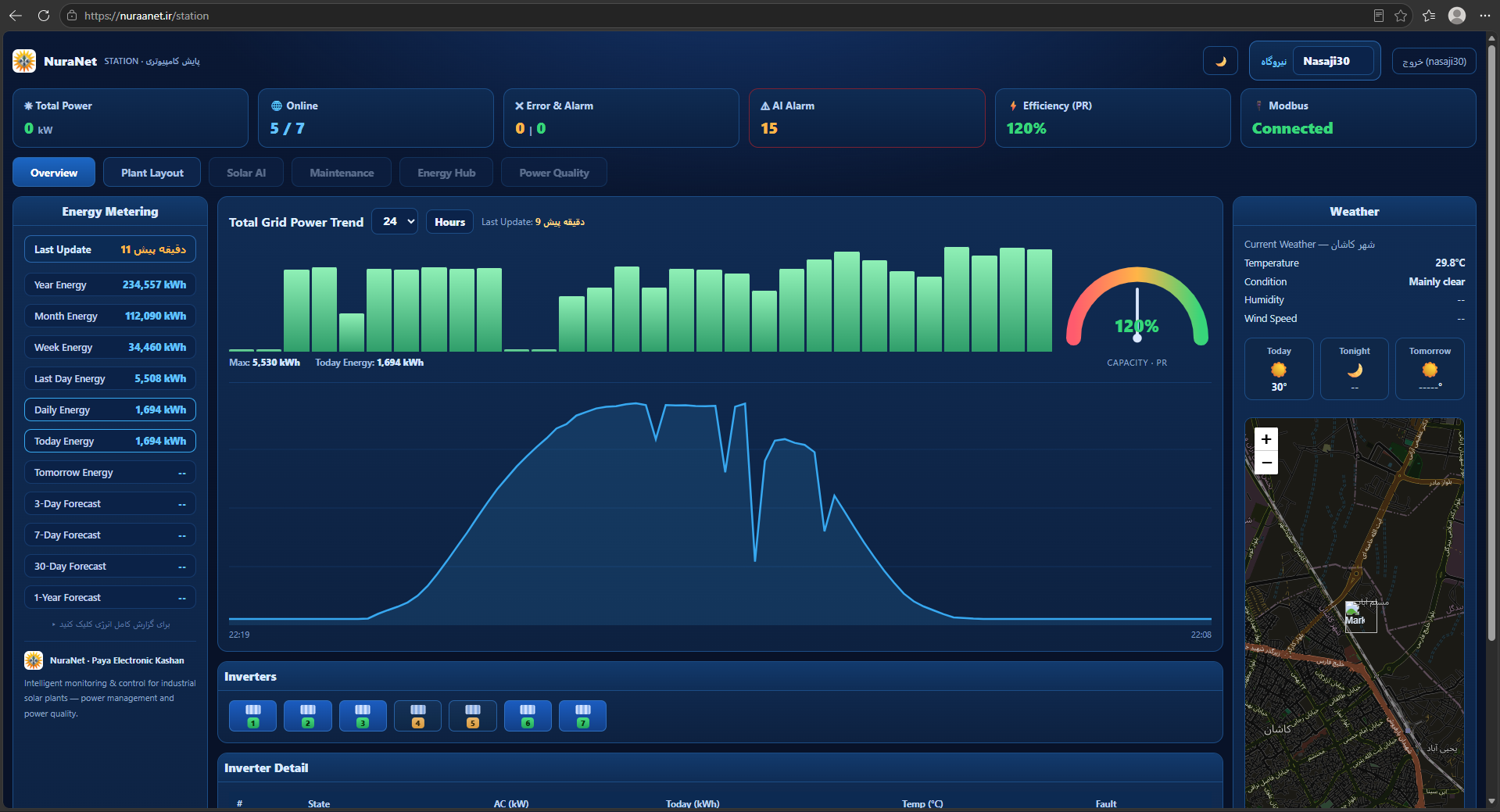
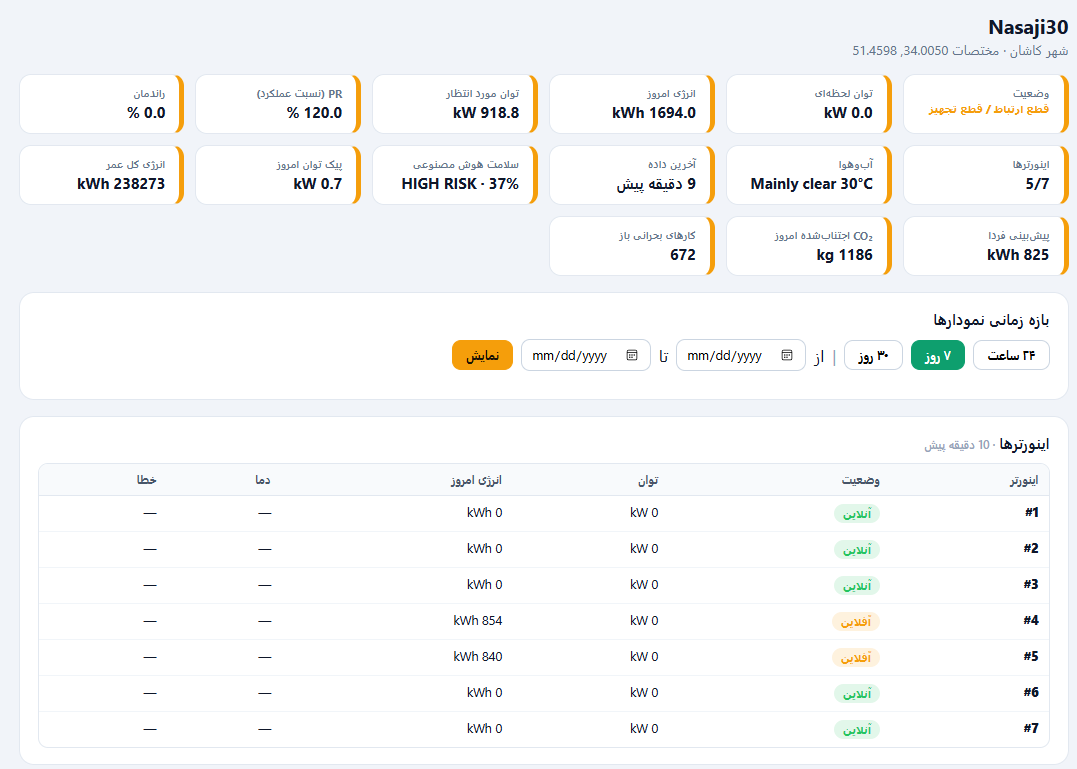
At Paya Electronic Salimi (Kasian) we run a web-based monitoring center at nuraanet.ir/company that watches the plants under support contract around the clock. Errors and performance loss are seen early, and the technical team acts before the problem becomes serious.
| Role | The right tool | Why |
|---|---|---|
| Operator based at the plant | Windows software or station portal | Full access to settings and equipment configuration |
| Operator without a dedicated computer | Station portal | No installation, in any browser |
| Plant owner or manager | Mobile app or web version | Status and alerts in real time, wherever they are |
| Multi-plant support team | Company monitoring center | A simultaneous view of every site, prioritised by severity |
| On-site installer and support | NuraNet Link installer app (Bluetooth or Wi-Fi) | Commissioning and checking the data logger or plant computer from beside the device |
In all of these cases, each user's access to each plant is set individually; nobody sees a plant they have not been given. The access model ›
Talk to us about a remote monitoring and support contract.
The same number answers on WhatsApp, Telegram, Eitaa and Bale.
